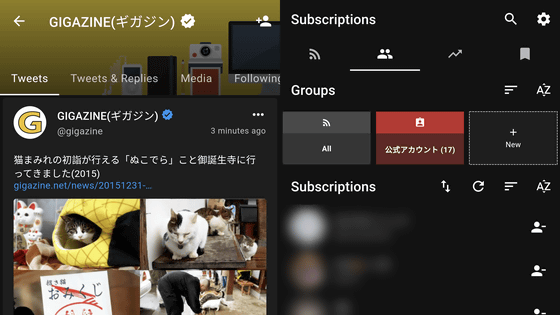
Twitter cannot tweet without an account, but you can view public tweets without an account. However, from August 2021 onwardsSpecifications that require login to display tweetsIntroduced, and it has become difficult to browse Twitter smoothly without an account. If you use the open source application “Fritter” for Android, you can follow tweets from public accounts without having to log in to your account, and you can also create lists and save tweets locally which is very convenient. Fritter: The privacy-friendly Twitter frontend for mobile devices https://fritter.cc/ GitHub – jonjomckay/fritter: The privacy-friendly Twitter frontend for mobile deviceshttps://github.com/jonjomckay/fritter Fritter-Google Play Apphttps://play.google.com/store/apps/details?id=com.jonjomckay.fritter Tap “Install” in Google Play Store to download the app. After installation when you start the fritter it looks something like this. I haven’t registered a Twitter account to browse yet, so nothing displays. Tap the humanoid icon, which is second from the left on the top tab, and then tap “Import from Twitter” under “Subscriptions.” Enter any account ID here and tap on the blue icon in the bottom right… The account the account is following is automatically registered in Fritter. Tap the arrow icon in the top left. Accounts are queued in “Subscriptions”. If you tap the leftmost tab…
Read More
Free rom-only app “Fritter” that doesn't require Twitter account creation, review, list building …