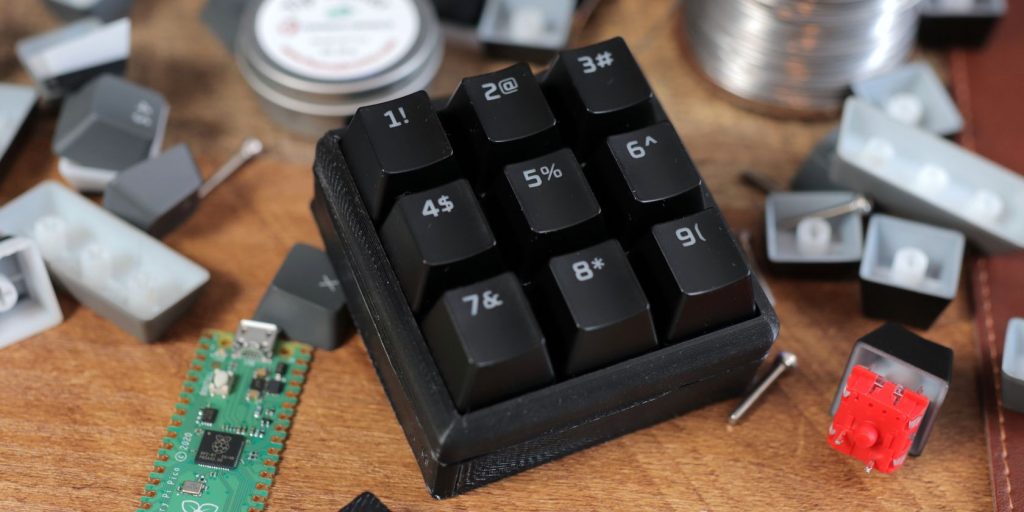
If you’ve recently dipped your toes into the world of Twitch streaming, you’ve no doubt come across peripherals like the Elgato Stream Deck. The Stream Deck is an excellent tool for controlling OBS scenes, posting to Twitter, or even managing Twitch chat. The only problem is that it’s an expensive upgrade if you’re on a budget. But what if you could have your own controller for a fraction of the price? Good news: you can! Today, you’re going to learn how to build a Stream Deck-style macro pad without burning a hole in your wallet. What is a Macro Pad? A macro pad is a series of buttons that allow you to trigger specific actions. Copy/paste is an excellent example of this type of function. If you press CTRL + C on your keyboard, this activates the copy shortcut and copies whatever you’ve highlighted to the clipboard. Now, what if you could copy with only a single keypress? What if you could trigger other actions, such as starting and stopping your Twitch stream? A macro pad lets you do that. What most people don’t know, however, is that these keypads are surprisingly easy to build, and the inexpensive Raspberry Pi Pico is the…
Read More
How to Build a Budget Macro Pad