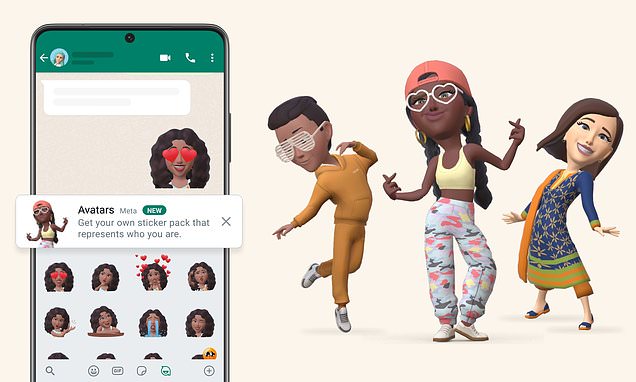
Avatars, the virtual customisable characters already available on Facebook and Instagram, are officially launching on WhatsApp from today.It means users can create a digital version of themselves from billions of combinations of ‘diverse hair styles, facial features and outfits’.The avatars can be used as a profile picture or sent in the form of one of 36 custom stickers that reflect different emotions and actions.These show your cartoony face representing your mood with clapping, winking, thinking and flooding the chat with tears. Cartoon you: Avatars, the virtual customisable characters already available on Facebook and Instagram, are officially launching on WhatsApp from today How do you add avatars on WhatsApp? How to create your avatar1. Tap ‘settings’2. Tap avatar > Create your avatar3. Follow the steps to create your avatar4. Tap ‘done’How to make your avatar your profile photo on WhatsApp1. Tap ‘settings’2. Tap your profile photo > Edit > Edit3. Tap ‘use avatar’ Meta had already rolled out the feature to Facebook and Instagram, but now users on WhatsApp can also enjoy playing around with ways to represent themselves without using a real photo.It is important to the company because it represents the early vision of what Meta CEO Mark Zuckerberg hopes will eventually
Read More
How to get your own avatar on WhatsApp | Daily Mail Online