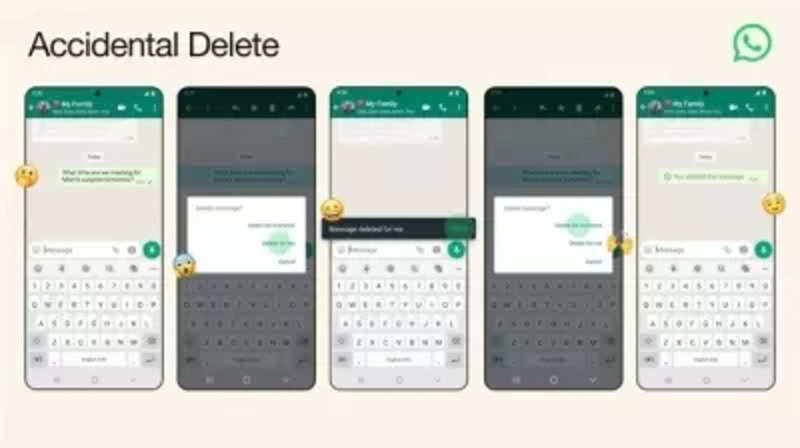
There can be times when you want to delete a message for everyone, but accidentally you may tap on the ‘Delete for Me’ option from the pop-up menu displayed. This mistake deletes the message for you but not for the recipient, which leads to some awkward situations. But now, with the ‘Accidental Delete’ feature of WhatsApp, this situation can be reversed. IntroductionMeta-owned instant messaging platform WhatsApp keeps updating the app to enhance the user experience. The company has now introduced an all-new feature to help users avoid ‘accidental’ messaging situations. The popular social media app has released ‘Accidental Delete’ feature for all Android and iPhone users. WhatsApp ‘Accidental Delete’ featureThis feature allows WhatsApp users to undo their action of message deletion within 2 seconds. It is important to note that users have up to two days after sending a message to delete it for everyone. For group chats, admins have the ability to delete messages sent by members.Read AlsoHere’s a step-by-step guide to help you understand how this latest WhatsApp feature works:Steps:1.Open WhatsApp on your mobile device.2.Go to the WhatsApp chat.3.Tap and hold the message that you want to delete.4.Tap on the Delete icon available at the top of the
Read More
How to use WhatsApp's latest 'Accidental delete' feature – Gadgets Now