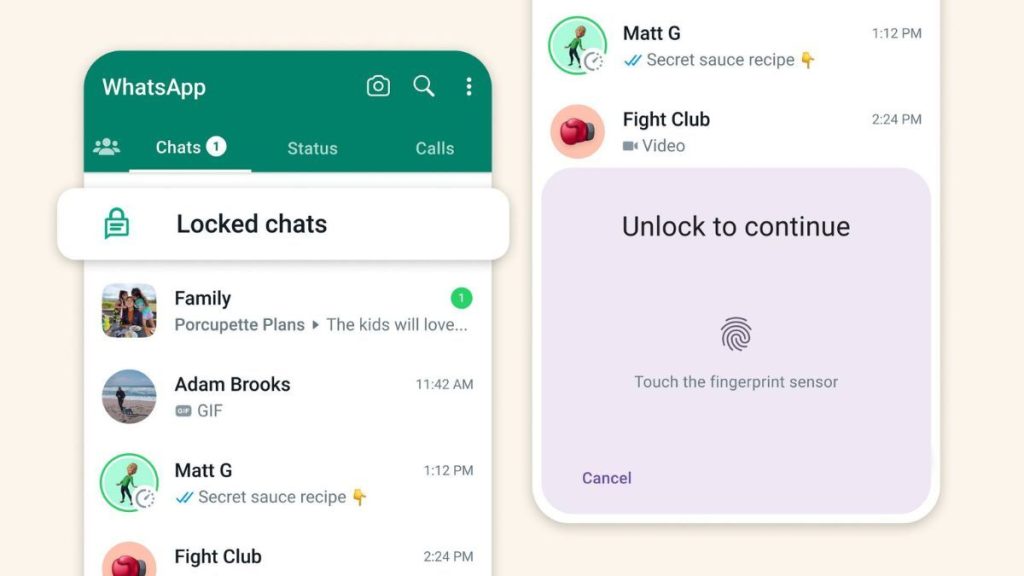
This feature essentially creates a separate “locked chats” folder in your chat list similar to archived chats. Here, all chats that you decide to keep locked will be stored and won’t appear in your chat list. This locked chats folder can be opened only with your device password or biometric authentication (fingerprint). The contents of the messages won’t appear in your notifications either. How to lock chats on WhatsAppThe WhatsApp chat lock feature can be found in the chat info section.If there’s a particular chat that you want to lock then you open it, go to the info section, scroll down and click the ‘chat lock’ option.You will then get a prompt to lock the chat with your fingerprint. After this the chat will move to the secure folder in the app.Whenever you want to open the chat you can just tap on the folder, select your chat and unlock it with your fingerprint. This feature has started rolling out to all users, so it should be available soon. WhatsApp also plans to add more options for this feature in the coming months. One of these is the ability to lock chats for companion devices and to create a custom password
Read More
WhatsApp now lets you lock private chats with your fingerprint, password: how to use