
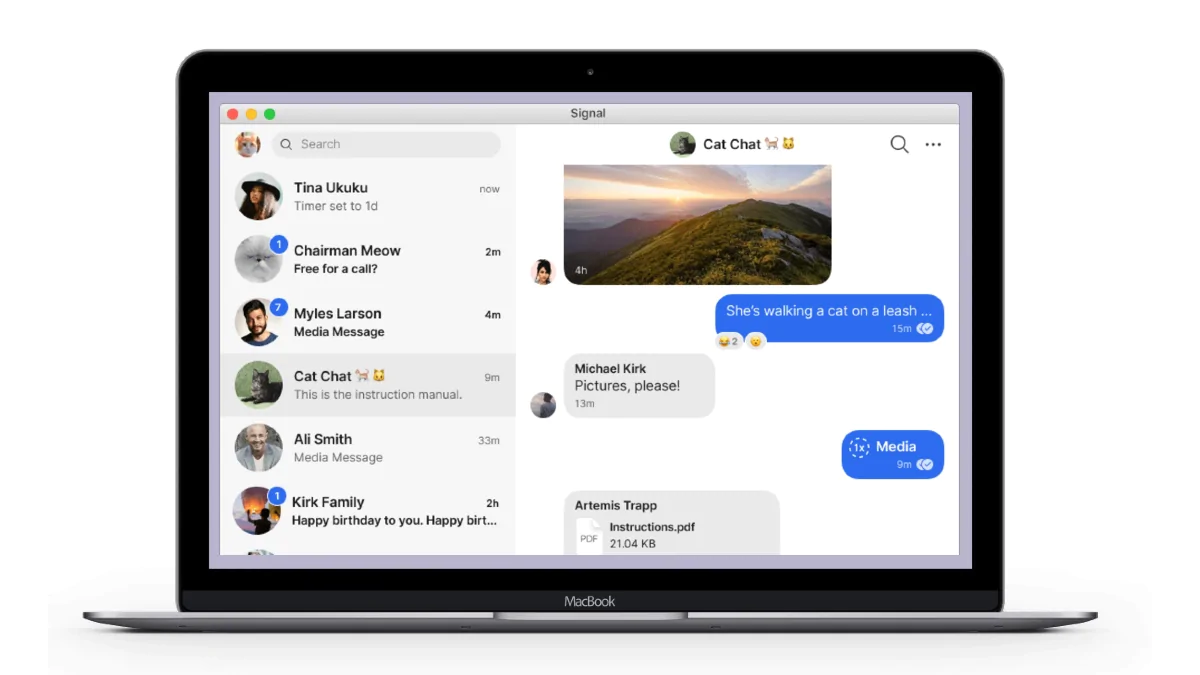
Wondering how to use Signal on your laptop or PC? If you have a Signal account, the popular messaging app will let you sync your account between your phone and your laptop or PC with a few easy steps. Signal is increasingly becoming popular as an instant messaging alternative to WhatsApp. It lets you send and receive text messages as well as make and receive voice and video calls. It has also grabbed attention for its enhanced security that comes from the open-source Signal Protocol. Signal also offers privacy features such as disappearing messages, screen security, and registration lock.All these features make Signal complete against the likes of WhatsApp and Telegram. Signal, in fact, claims that all messaging that you access on your laptop or PC is private.Like for WhatsApp, you must have the Signal app on your phone (either Android or iPhone). But using Signal on a laptop or PC is slightly different than using WhatsApp Web. Signal does not have a Web client and is limited to a desktop app. This means that you can’t access your messages on Signal using a Web browser. You will need to download and install its native app on your laptop or…
Read More

Thursday, September 17, 2026

Thursday, September 17, 2026
How to Use Signal on Your Laptop or PC

ADVERTISEMENT
- Trending
- Comments
- Latest





We bring you the best news, updates, reviews, and events coverage surrounding the worlds top Social Network Companies.
