
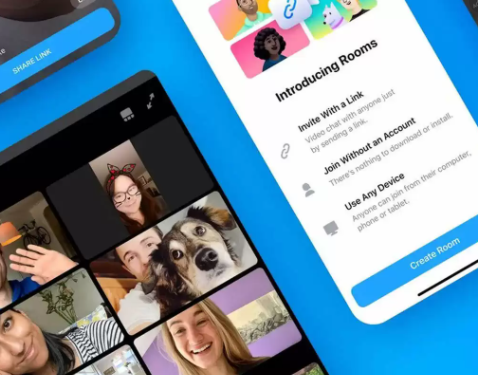
WhatsApp mobile version allows you to make video or voice calls, but WhatsApp web does not support the same to date. However, Messenger Rooms can be used for video calling that can be accessed immediately; you don’t even need to log in to your Facebook account. Read More: How many people can participate in WhatsApp video calls? In Messenger Rooms, you can add up to 50 participants in a group call while WhatsApp’s mobile version only allows eight participants in a group video call. In addition to this, the host in Messenger Rooms has the authority to remove participants, lock or end the room, and enable the ‘share screen’ option for everyone. How do I video call on WhatsApp Web?Follow the steps below: Login to your WhatsApp Web account by visiting https://web.whatsapp.com/ and scanning the QR code Click on the vertical three-dots on the left side of the screen and click on the option ‘Create a Room’ A pop-up will appear, click on ‘Continue in Messenger’ to continue in messenger to create a room Now, create a room so that you can start a video call To make others join the call, share the link video call with others on…
Read More

Wednesday, September 16, 2026

Wednesday, September 16, 2026
Can I make video calls on WhatsApp Web?

ADVERTISEMENT
- Trending
- Comments
- Latest




We bring you the best news, updates, reviews, and events coverage surrounding the worlds top Social Network Companies.
