
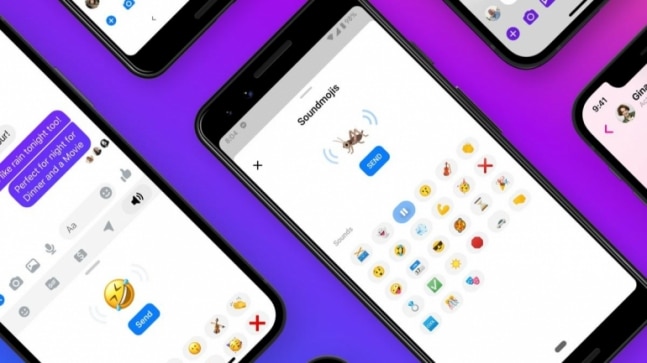
We often use emojis on Facebook Messenger and WhatsApp chats to add colours and vibrancy to our conversations. Facebook Messenger rolled out unique ‘soundmojis'(audio along with the emojis) in July to enhance the conversation between friends. For instance, if you want to send a laughing soundmoji, it will now come with actual uproarious laughter. The design team of the social media giant has assigned sounds such as laughing, clapping, kisses, drums, farts, ghosts, shock and much more. Soundmojis, next-level emojis, are used to send short sound clips alongside a Messenger chat. Soundmojis have now become an important component of media content users and are used just like animated GIFs, stickers and emojis on Facebook messenger.A quick guide on how to use Soundmoji on Facebook Messenger:Step 1: Open your Facebook Messenger and open the chat where you wish to send a Soundmoji. If you are an iPhone user, go to settings and then scroll down and click on the Messenger app. Then you will have to toggle the Microphone option to ‘On’.Step 2: In the chart bar, click on the Smiley Face at the bottom to open the expressions menu. Click on the Loudspeaker icon.Step 3: You can preview Soundmojis again…
Read More

Tuesday, October 6, 2026

Tuesday, October 6, 2026
Here's how you can use Facebook Messenger Soundmojis

ADVERTISEMENT
- Trending
- Comments
- Latest






We bring you the best news, updates, reviews, and events coverage surrounding the worlds top Social Network Companies.
