
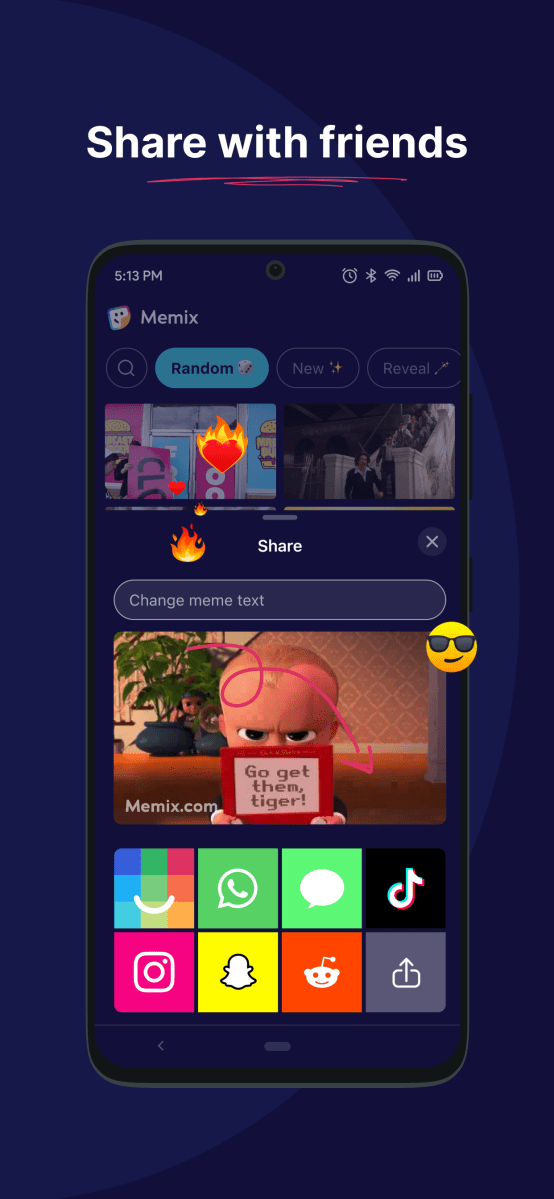
Memix, is free iPhone and Android app for creating video GIF memes almost instantly for chatting and fun. Memix claims that internet memes are no longer a silly distraction. They’re a fundamental aspect of how we communicate with one another. Previously you needed to find the video or image than use some kind of graphics program to make the meme. The beauty of Memix is that the videos have areas on the screen such as sign, empty phone screen, piece of paper or sheet of paper where the phrase will go. The way to make a Memix is so easy it took a while to figure out works. How to Make a Meme with Memix 1.To make a meme, You open up the Memix app. 2. Search for meme backgrounds by term or pre-populated subjects on the top of the screen. 3. Then type in the phrase you want to communicate in the area “Change the Memix text.” 4. Tap on the image to go with the text. 5. You will see a message “Generating Memix.” 6. There are eight tabs on the bottom to representing social media apps, IRL, WhatsApp, Messaging, TikTok, , Instagram, Snapchat, Reddit or upload. Note
Read More

Thursday, October 1, 2026

Thursday, October 1, 2026
Review Memix –Free Fun Video Meme-ification For IRL, WhatsApp, Messaging, TikTok …

ADVERTISEMENT
- Trending
- Comments
- Latest






We bring you the best news, updates, reviews, and events coverage surrounding the worlds top Social Network Companies.
