
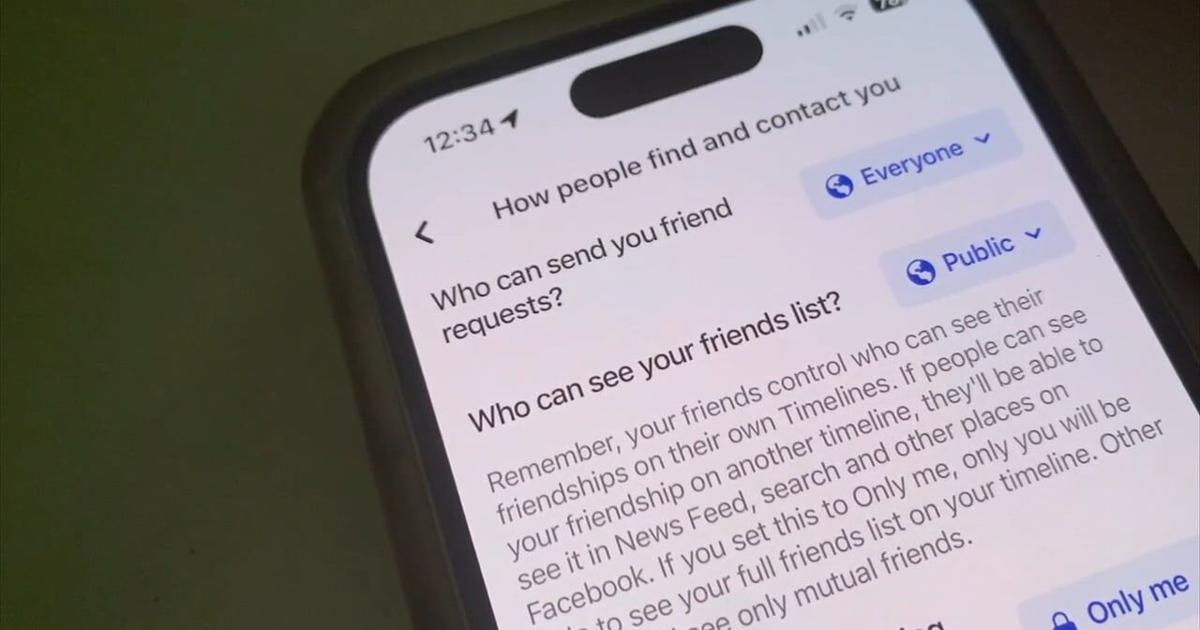
Do you have a friend whose Facebook account is always getting “hacked” or “cloned?” Or does it happen to you? Changing just two settings can protect your privacy and theirs.In your Facebook settings, select Privacy, and then look for “How people find and contact you.”There are a couple of options you’ll want to think about and perhaps change. Who can send you friend requests? If it’s set to everyone, people with absolutely no connection to you can send a friend request. Even if you don’t accept, they’ll still be able to follow you. This means they’ll get updates on your posts, photos, and anything else you do on Facebook that’s “public.”You can change that to “friends of friends.” It doesn’t effectively keep people from finding you. If a friend befriends a hacker, your name will still show up on their friends list.Next, who can see your friends list? Change that from “public.” You can choose friends, specific friends, or, and here’s what I do: Only me. This protects the privacy of all of my friends by not sharing their information on my Facebook account.This is generally how spammers and scammers keep scamming people. They befriend just one person, clone their
Read More

Wednesday, October 28, 2026

Wednesday, October 28, 2026
What the Tech? How changing 2 Facebook settings can help protect your privacy

ADVERTISEMENT
- Trending
- Comments
- Latest







We bring you the best news, updates, reviews, and events coverage surrounding the worlds top Social Network Companies.
