
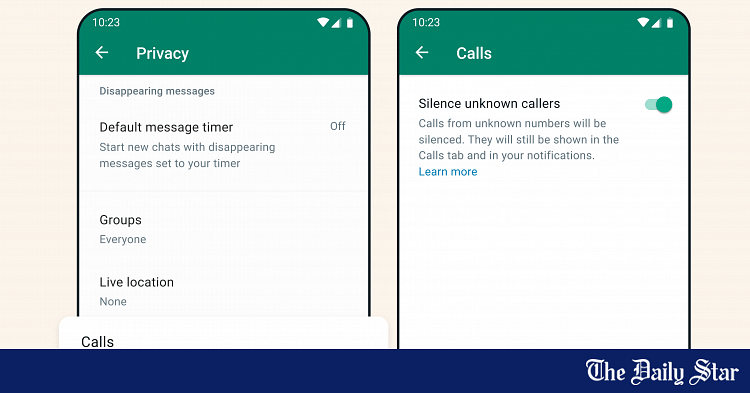
Users can now silence incoming calls of unknown numbers on WhatsApp, as per a new feature recently added to the popular social messaging app. In their official blog, WhatsApp has stated that this new feature aims to provide more privacy to users while giving them more control of incoming calls. To access the ‘silence unknown callers’ feature, click on the three dots in the main menu of the app and click on ‘Settings’. From there, click on ‘Privacy’. Scroll down a bit to see the ‘silence unknown callers’ options under the ‘Calls’ settings. Turning the option on will make incoming calls from unknown numbers automatically silenced. However, these calls will still be shown in the Calls tab of the main menu as well as in your notifications. Alongside this new feature, WhatsApp has also released a ‘privacy checkup’ feature. To access this, click on ‘Privacy’ and then ‘Settings’. From there, you should see the option to start a privacy checkup at the very top of the menu. Clicking on ‘start checkup’ will enable you to manually adjust who can contact you, change how your personal info is shown by the app, add more privacy to your chats, and add more
Read More

Friday, July 31, 2026

Friday, July 31, 2026
You can now silence unknown callers on WhatsApp – The Daily Star

ADVERTISEMENT
- Trending
- Comments
- Latest






We bring you the best news, updates, reviews, and events coverage surrounding the worlds top Social Network Companies.
