
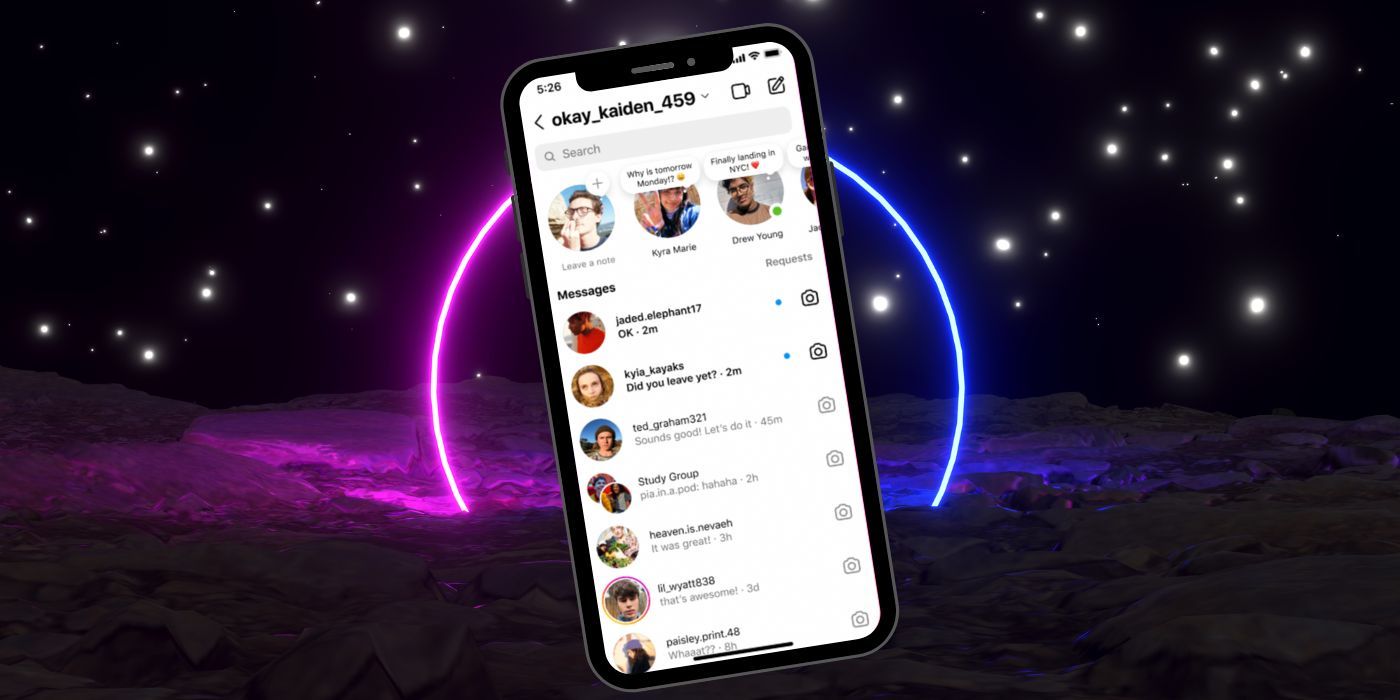
Instagram has launched ‘Notes’, a brilliant new conversation starter. Check out the feature and how you can use it to encourage discussion. Instagram users are eager to try out the Notes feature that Meta released recently. People enjoy Instagram because it lets them connect personally with friends and followers, and Instagram has been teasing new features that allow users to start conversations in new ways. Instagram rolled out a new feature that is user-friendly and engaging. Known as Notes, this feature allows users to communicate with others through a short text message headlined on a Status Bubble displaying their profile picture. For example, if someone posted ‘I’m home for the holidays,’ the Note would appear below their photo. These Status Bubbles appear in Instagram’s Messenger area above the DMs. Users like it because it makes discussions more intimate than using the comment feed on a public post. Utilizing Instagram’s Notes Bubbles Users can easily use Instagram’s Notes feature. To start, open the app and tap the Messenger icon at the top right. At the top of the menu, users will see Status Bubbles that say ‘Leave Note.’ Click the + to open a new window. The ‘Share what’s on your
Read More

Tuesday, October 13, 2026

Tuesday, October 13, 2026
How To Use Instagram's New 'Notes' Status Bubbles – Screen Rant

ADVERTISEMENT
- Trending
- Comments
- Latest






We bring you the best news, updates, reviews, and events coverage surrounding the worlds top Social Network Companies.
