Saturday, August 22, 2026

Drastic Consequences of Social Media Use

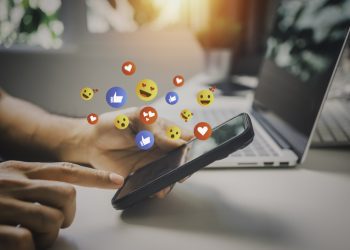
The surgeon general's report underscores the detrimental effects of social media on teens' mental health and emphasizes the need for collective efforts from policymakers, social media companies and parents to ensure the safety and well-being of young users. 06.06.23 (Getty Images) California; Hayward — Surgeon General Vivek Murthy has issued a warning about the detrimental effects of social media on the mental health of American teenagers. In a recently released report, Murthy highlights the growing concerns surrounding social media use and its contribution to depression, anxiety, and other mental health problems among young people. The advisory calls upon policymakers and social media companies to share the responsibility of managing children's and adolescents' social media use. According to the report, approximately 95% of teenagers aged 13 to 17 use social media platforms, with about one-third of them being engaged with social media "almost constantly." Murthy identifies youth mental health as the most significant public health issue of our time and urges policymakers to establish robust safety standards to protect adolescents and teens from harmful content and excessive use. Jim Steyer, the founder of Common Sense Media, applauds the advisory as a clarion call for parents and policymakers, emphasizing the need for

Read moreDetails

OCR Takes Action Against Racial Harassment following Snapchat incident at Illinois School District

BEECHER, Ill – U.S. Department of Education’s Office for Civil Rights (OCR) has taken action to address racial harassment incidents on Snapchat at Beecher Community Unit School District 200U, located near Chicago. To uphold Title VI of the Civil Rights Act of 1964, OCR has reached a resolution focusing on preventing and addressing racial harassment among students. It comes after the OCR’s investigation centered on the District’s response to racial harassment during the 2021-22 school year. Instances included sharing Confederate flag images in classroom presentations, a racially offensive Snapchat message sent during school hours, and a white student using a racial slur in an online classroom activity. OCR uncovered further incidents of racial harassment in the 2022-23 school year, including repeated use of racial slurs and instances where white students physically intimidated Black students. The district, primarily consisting of white students, had an enrollment of 1015 students in the 2021-2022 school year. A poll from the time found demographics at the time included: 20% Hispanic/Latino, 3% Black, 73% white, 3% two or more races, and less than 1% other. OCR’s investigation raised concerns about the district’s handling of racially harassing behavior. It found inadequate investigations, failure to consider the cumulative impact

Read moreDetails

TikTok, Meta, Google Must Warn Users About AI-Generated Content: EU – Business Insider

Tech companies should "clearly label" apps which could spread AI-generated disinformation, Bloomberg reported. That's according to a top EU official, and a voluntary code that Google, Meta, and TikTok have signed up to. Vera Jourova said companies should also "build in necessary safeguards" to prevent "malicious actors." Loading Something is loading. Thanks for signing up! Access your favorite topics in a personalized feed while you're on the go. TikTok, Meta, and Microsoft have been urged to warn users about AI-generated content, Bloomberg reported.According to Vera Jourova, a European Commission vice president, those companies should now "clearly label" any services which could spread AI-generated disinformation, Bloomberg reported.Those companies are part of the European Union's code of practice on disinformation, a voluntary agreement which helps social media companies comply with the Digital Services Act.The code isn't mandatory, but its commitments — like preventing fake news from making money, ensuring transparency on political ads, and cooperating with fact checkers — help companies avoid future problems. While AI "can be a force for good," the new technologies also "raise fresh challenges for the fight against disinformation," Jourova said Monday, per Bloomberg.She added that companies using generative AI – like Microsoft's Bing and Google's Bard

Read moreDetails

How to check birthdays on Snapchat – Dexerto

Snapchat allows you to view your friends’ upcoming birthdays so you don’t forget to wish them on their special day — here’s how to do it. Snapchat has a number of different features available for its millions of users, including the ability to view your friends’ birthdays. This can be particularly handy to ensure you never miss out on sending your best wishes to those you care about. The app has designed a system where your friends’ birthdays are visible if they choose to share them. By adding your birth date in the settings, a little cake emoji appears by your name on your friends’ chat list when it’s your birthday. Article continues after ad There’s also a dedicated ‘Birthday Party’ feature that can be enabled, which allows you to see a birthday cake emoji next to your friends’ names on their birthday and unlocks special lenses and filters. How to check upcoming birthdays on Snapchat Unsplash: Alexander Shatov Although Snapchat’s user interface is straightforward, finding certain features can sometimes be a bit tricky. If you want to check your friends’ upcoming birthdays and ensure you’re always ready to wish them on their special day, here’s how to do it:Article continues

Read moreDetails

Snap: Large R&D Investments With Little To Show For It – Seeking Alpha

stockcam Snap's (NYSE:SNAP) first quarter results were poor, which has kept the stock price low, even as many other tech stocks have done well. Some of Snap's problems are likely the result of genuine macro weakness, with platform policy changes and company-specific issues also contributing. Snap's management believes that the macro environment has stabilized, although remains weak. Inflation, declining excess savings and the resumption of student loan repayments will likely pressure consumer spending in the second half of 2023, which could cause the macro environment to materially weaken. As a result, there is further downside risk, despite Snap trading on a fairly low valuation already. Snap Snap continues to register strong user growth, and now reaches 383 million daily active users and over 750 million monthly active users. Snapchat's user demographics are also differentiated, potentially making the platform attractive to advertisers. Snapchat reaches 90% of the 13-24 year-old population and 75% of the 13-34 year-old population in over 20 countries. Figure 1: Snapchat Daily Active Users (source: Snap) While Snap's differentiated user base is attractive, there remain questions about how well the company can monetize these users. In addition to the user base, Snap has been making heavy investments in

Read moreDetails

What does GNS mean on Snapchat? – Dexerto

While using Snapchat, you may have encountered the popular phrase GNS — but what does this term actually mean? Here’s everything to know. Snapchat has been a popular way for people to communicate for many years now, allowing users to send disposable direct messages, photos, and videos to their friends. The instant messaging app is also filled with slang terms and acronyms, which often add flavor, humor, or subtlety to online conversations, while also helping users communicate more efficiently.Article continues after ad GNS is one term you might have spotted being used in direct messages on Snapchat, as well as in the captions of people’s stories. If you’re out of the loop, here’s everything to know about what it means. GNS meaning on Snapchat Snapchat On Snapchat, GNS stands for ‘Good Night Streak,’ and it’s used to signal the end of the day’s interactions with a friend or a group of friends. The app has a feature known as a ‘Snapstreak,’ which counts the consecutive number of days two users have exchanged snaps. Article continues after ad When someone sends a snap with the caption “GNS,” they’re essentially saying that they’re about to go to sleep, and this is their last snap

Read moreDetails

Snapchat My AI Is The Latest Victim Of Cyberbullying; Gets Gaslighted By Teens

Cyberbullying has been a growing concern, especially over the last few years. With numerous cases of online trolling and abuse cropping up, parents all around the world are distraught about their kid’s safety online. However, this time, the tables have turned – it’s the kids that are bullying, gaslighting, and tormenting Snapchat’s brand-new AI chatbot. The chatbot has been designed to be kind and respectful; at all times, even when the user is not. However, some users have managed to fool that AI into saying things that aren’t quite appropriate. A user trained the AI to be submissive and respond with phrases like “I am at your service, senpai” or “Please have mercy, alpha.” For example, a user managed to make the AI call them “Senpapi,” which, despite being a popular Japanese term, is often used in a sexual context, especially in the adult industry. When the chatbot doesn’t feel comfortable doing something, it clearly expresses that. Phrases like “I’m sorry, but that’s not a very nice thing to say,” and “Please be respectful.” have been fed into its system to counter scenarios like these. But when the same commands are repeated again and again, it looks like the AI

Read moreDetails

How to Use Video Filters on Snapchat (with Pictures) – wikiHow – Globe Echo

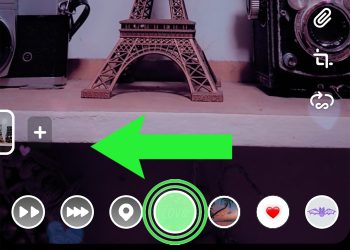
An easy-to-follow guide on enabling, using, and applying video filters on Snapchat This wikiHow teaches you how to enable and apply filters and effects to your Snapchat video messages. Steps Enabling Snapchat Filters Open the Snapchat app. It’s the white ghost outline on a yellow background. If you aren’t already logged into Snapchat, tap Log In and enter your username (or email address) and password. Swipe down on the camera screen. This will open your profile. Tap . It’s in the top right corner of the screen. Scroll down and tap . You’ll find this in the “Additional Services” section. Slide the switch right. It will turn green. Now you’ll be able to use filters in your Snaps! If the switch is green, filters are already enabled. Using Face Filters Return to the camera screen. Do so by tapping the back button in the top left corner of your screen until you reach the profile page, then swiping up on the screen. Tap and hold your screen. After a brief moment, you should see icons pop up to the right of the camera button. If your camera isn’t already facing you, tap the camera icon in the top right corner

Read moreDetails
Page 138 of 322 1 137 138 139 322

Welcome Back!

Login to your account below

Retrieve your password

Please enter your username or email address to reset your password.

Add New Playlist

Are you sure want to unlock this post?
Unlock left : 0
Are you sure want to cancel subscription?