
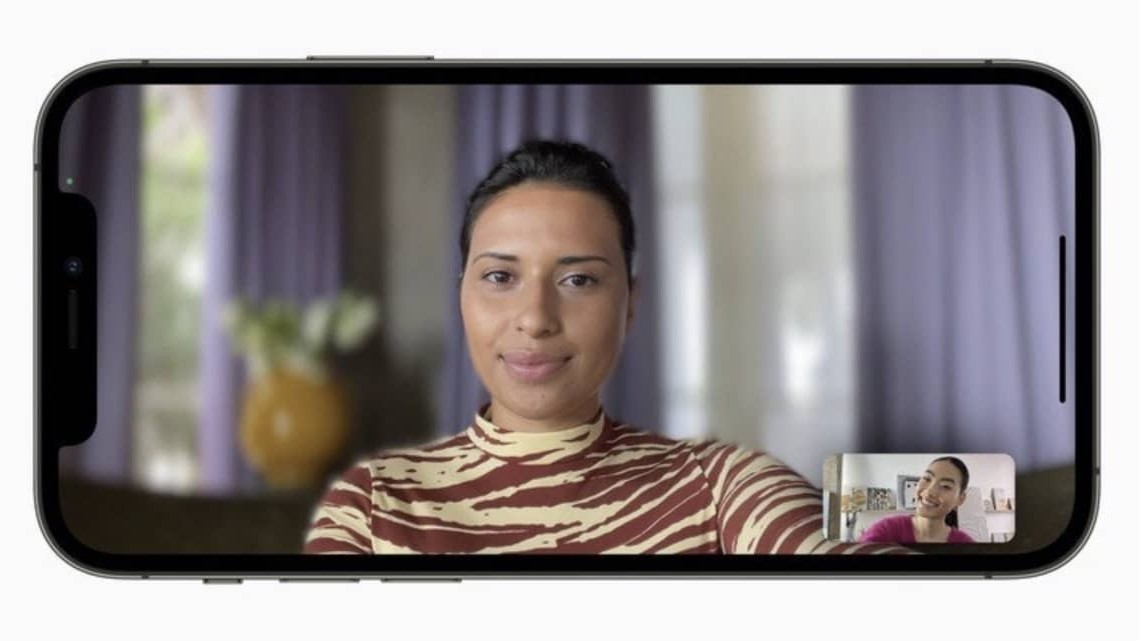
26 minutes ago Mehdi Nitmazi interaction The new feature called “Portrait” in FaceTime on iOS 15 is not exclusive to FaceTime, but can also be used to blur the background in video calls made through other apps like WhatsApp, Messenger, Zoom and other Snapchat. Apple Impact at Your Fingertips for (Almost) Everyone with updates iOS 15 and iPadOS 15Apple brought Portrait-style video to FaceTime on iPhone and iPad, creating attractive background blurring in real-time video chats, as well as several new features like link sharing or simultaneous transmission via SharePlay. When Apple released iOS 15, it didn’t say whether background blur on video calls and microphone recording effects were limited to FaceTime. FaceTime has its own built-in controls for Portrait video. But it turns out that any app that accesses the microphone or the camera can use the audio and video effects of iOS 15. In fact, the controls for the video and audio effects are displayed automatically in the Control Center as soon as the video starts. In Zoom, Snapchat, Instagram and similar apps. While most apps take advantage of these features directly and for free, some will need to be updated to implement the latest SDK from Apple.…
Read More

Thursday, October 8, 2026

Thursday, October 8, 2026
How to use the FaceTime Portrait effect in other apps

ADVERTISEMENT
- Trending
- Comments
- Latest








We bring you the best news, updates, reviews, and events coverage surrounding the worlds top Social Network Companies.
