
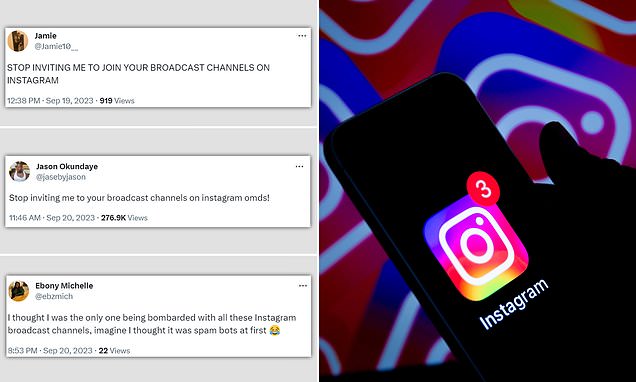
Instagram users say they’re being bombarded with Broadcast Channel notifications – here’s how to turn them off on your smartphoneBroadcast Channels allow creators to update their fans with exclusive newsThere’s an easy way to rid your smartphone of irritating notifications – here’s howBy Lauren Haughey Published: 05:38 EDT, 21 September 2023 | Updated: 05:38 EDT, 21 September 2023 Frustrated users have slammed Instagram’s new Broadcast Channels as many claim they are being bombarded with countless notifications.Complaints have flooded social media over the past 48 hours since Meta unleashed its new content creation tool in the UK.Mark Zuckerberg, Steven Bartlett and Shakira are among countless celebrities to use these channels as a casual way of updating their followers with exclusive news.But the feature has generated so many notifications that some Instagrammers initially thought they were being targeted by spam bots. Thankfully, there’s a simple way to rid your smartphone of the irritating notifications – here’s how. Broadcast Channels allow creators on Instagram to update their fans with exclusive news How to turn off Broadcast Channel notifications Head to the Instagram appTap the three straight lines in the top right cornerHit ‘Settings and privacy’Tap ‘Messages and calls’Scroll down to Broadcast Channel invitations and notificationsTap ‘Off’
Read More

Tuesday, August 25, 2026

Tuesday, August 25, 2026
Instagram users say they're being bombarded with Broadcast Channel notifications

ADVERTISEMENT
- Trending
- Comments
- Latest







We bring you the best news, updates, reviews, and events coverage surrounding the worlds top Social Network Companies.
