Sunday, July 19, 2026

WhatsApp to reveal new ‘Quick Recaps’ feature to summarise chats – Abb Takk News

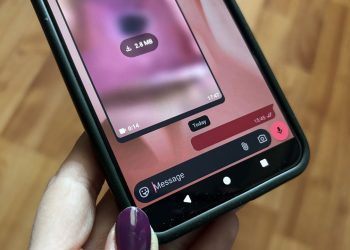
WEB DESK:  WhatsApp is reportedly developing a new feature called ‘Quick Recaps’ that will allow users to generate summaries of unread messages across multiple chats, according to WhatsApp tracker WABetaInfo. This upcoming feature builds on the recently launched Message Summaries, which enables users to summarise unread messages but only from a single chat at a time. In contrast, Quick Recaps aims to provide simultaneous summaries from up to five conversations, offering a faster and more efficient way to catch up on messages. How Quick Recaps Will WorkAs per WABetaInfo, users will be able to select up to five chats from the Chats tab, tap on the three-dot menu in the top-right corner, and choose ‘Quick Recap’ to generate summaries. These summaries will offer concise overviews of recent unread messages. Like Message Summaries, this feature uses Meta’s Private Processing technology, ensuring end-to-end privacy. Neither WhatsApp, Meta, nor third parties will have access to the original messages or the generated summaries. The Quick Recap feature is optional and disabled by default. Additionally, it will not be available for chats protected by WhatsApp’s Advanced Chat Privacy settings.WABetaInfo spotted the feature in WhatsApp beta version 2.25.21.12 for Android. However, it is currently under development

Read moreDetails

Ex-Tory who made racist remark on WhatsApp is Reform’s newest defector

Farage has called Anne Jones’ defection a ‘big step forward’ for Reform in Wales. Reform have no shame. A grinning Nigel Farage has revealed his party’s latest defector, an ex-Tory who made a racist remark on WhatsApp. Welsh Parliament member Laura Anne Jones has defected from the Tories to Reform, which Farage has tried to portray as a major coup as he targets gains in the Welsh Parliament in next year’s elections. However, it shows the values Reform hold, given that they have taken on an ex-Tory who made a highly offensive slur about Chinese people in a group chat and who also had to previously apologise for saying she would “like to do a spot of Chav shooting” on Facebook – and said it is “a shame that isn’t legal”. Anne Jones has also previously been criticised for joking about shooting Labour MP Ed Miliband, saying that she would become the “perfect shot” if she had “ol’ Red Ed to aim at.” Announcing her defection, she said: “I truly believe that I have joined a party that is listening to the people of Great Britain.” Farage has called Anne Jones’ defection a ‘big step forward’ for Reform in Wales.

Read moreDetails

WhatsApp May Soon Introduce Quick Recap to Summarise Your Unread Chats – Gizbot

        | Published: Monday, July 21, 2025, 13:30 WhatsApp recently introduced the "Message Summaries" feature, allowing users to summarise unread messages in individual chats. However, this feature is limited to one chat at a time. To address this, WhatsApp is working on a new feature called "Quick Recap," which will enable users to summarise messages from multiple conversations simultaneously. The Quick Recap feature, as reported by WABetaInfo, will allow users to summarise messages from up to five conversations at once. Users can select the desired chats in the Chats tab, tap on the three-dot menu icon located in the top-right corner, and choose "Quick Recap" to access this functionality. Privacy and Security Similar to Message Summaries, Quick Recap employs Meta's Private Processing technology. This ensures that neither the original messages nor their summaries can be accessed by third parties, including Meta or WhatsApp itself. This privacy measure guarantees that user data remains secure and confidential. It's important to note that Quick Recap is an optional feature and is disabled by default. Additionally, chats protected by "Advanced chat privacy" settings cannot be summarised using this feature. This ensures that users have control over which conversations are summarised.

Read moreDetails

WhatsApp for Windows 11 is switching back to Chromium web wrapper from UWP/native

Meta (more lately Meta AI) has quietly announced that WhatsApp is ditching UWP (WinUI) for a Chromium-based container on Windows 11. This means WhatsApp is back to how it was a few years ago. It does have a couple of new features because web.whatsapp.com was always ahead of Windows app development, but it’s slower and uses more RAM. It’s one thing if an indie developer opts for web apps because they cannot afford to maintain the codebase across all platforms, but it’s actually sad when a trillion-dollar company like Meta is not willing to ship and maintain a native app for Windows 11, which has 1.4 billion monthly active PCs. As first spotted by Windows Latest, there’s a new update rolling out for WhatsApp Beta. It replaces the native app with a WebView-based WhatsApp. It’s the same experience you’ll find on web.whatsapp.com. The UI is almost identical, but there are several notable differences, and the primary (the one I hate) is slow performance. How do you know WhatsApp for Windows 11 is a WebView? New WebView2 WhatsApp / Image Courtesy: WindowsLatest.com When you use Task Manager or another tool like Process Hacker, you’ll now notice several subprocesses running under WhatsApp.

Read moreDetails

PTA warns against fake WhatsApp messages – Islamabad Post

What’s Happening? The Pakistan Telecommunication Authority (PTA) has issued a warning about fake WhatsApp messages circulating in Pakistan. Scammers are sending fraudulent messages pretending to be from WhatsApp, often containing clickable links and threats like “Your account will be closed” or “Verify your account.” What’s the Risk? These links are malicious—clicking them could lead to: Hacking of your WhatsApp account Theft of personal/financial data Unauthorized access to your phone What Should You Do? ❌ DO NOT click on suspicious links (even if they look official). ❌ DO NOT respond to messages from unknown numbers. 🚨 Delete any alarming or urgent messages demanding action. ✅ Remember: WhatsApp never asks for verification via links. 📢 Report such messages to PTA or WhatsApp support. Why Now? Rising cybercrime in Pakistan, with increased attacks on messaging apps. Final Advice: Stay alert, never share personal info, and spread awareness to protect others! 🔒📱

Read moreDetails

Ed Miliband’s deputy sent secret messages to torpedo PM’s welfare reforms – The Sun

ED Miliband’s protege sent secret WhatsApp messages to Labour rebels working to torpedo Keir Starmer’s welfare reforms, The Sun on Sunday can reveal. Net Zero minister Miatta Fahnbulleh was active on key WhatsApp chats used to organise the revolt - posting several messages. 1 Net Zero minister and Ed Miliband ally Miatta Fahnbulleh sent messages to Whatsapp chats used by welfare rebels to organise their revolt against the PM Credit: Rex She was even considering resigning to inflict maximum damage on the PM, senior Labour insiders believe.  Ms Fahnbulleh is a former aide to Mr Miliband and he is believed to be working to help her to be party leader one day. After being elected MP last year, she was immediately handed a plum ministerial job in his energy department. The bombshell revelations will inevitably spark questions about Red Ed’s loyalty to the PM.  READ MORE ON POLITICS A Labour insider said: “It’s astonishing that after just a year, this minister is more interested in her own ambitions than delivering for the people who have elected her and the Labour government.” Sir Keir was forced to tear up his plan to trim £5 billion from Britain’s bloated benefits bill after

Read moreDetails

WhatsApp streamlines in-app support process – 9to5Mac

If you’ve ever tried to get in-app support on WhatsApp, you know the process used to start with filling out a form, possibly attaching a few files, and waiting for a support rep to eventually get in touch. Now, that form is on its way out, and the screening process is, you guessed it, becoming AI-based. But that’s not necessarily a bad thing. Out with the form, in with AI Unless you’re Stephen Hackett, support knowledge bases are never fun to navigate, especially if you are in a hurry and already feeling aggravated as you try to sort through large quantities of help options that rarely fit your specific problem. On WhatsApp, the old process could be especially anxiety-inducing. Filling out a contact form and sending it into the void, not knowing exactly when you should expect a response, wasn’t the most reassuring experience in an emergency situation. Now, as reported by WABetaInfo (via Tecnoblog ), going to Settings > Help > Help Center > Contact Us takes you straight to a new chat window, where a support bot tries to understand the issue, search WhatsApp’s help docs, and walk you through a solution in natural language. If necessary, it

Read moreDetails

Will Poulter’s ex-girlfriend claims actor dumped her via WhatsApp – Daily Mail

Will Poulter's 'blindsided' ex-girlfriend has claimed the actor brutally 'dumped her via WhatsApp without warning' in a statement posted on Instagram on Friday. The Bear actor, 32, and model Bobby T, 45, went their separate ways earlier this year after they were first seen kissing passionately in 2022.  After reports Will has moved on with Top Boy actress Saffron Hocking, Bobby has now spoken out about their split for the first time. In a lengthy statement, she wrote: 'Just so there’s no confusion, I was in a real relationship for almost three years. 'We built a life together. We planned the details of our wedding. He wasn’t just in my life. He was in my son’s. 'He called him his stepson and they had a real relationship. Because of his age my son only remembers a life when he was there. That was his normal. Will Poulter's, 32, 'blindsided' ex-girlfriend Bobby T, 45, has claimed the actor brutally 'dumped her via WhatsApp without warning' in a statement posted on Instagram on Friday  The Bear actor and model Bobby T (pictured) went their separate ways earlier this year after they were first seen kissing passionately in 2022 After reports Will has moved

Read moreDetails
Page 73 of 314 1 72 73 74 314

Welcome Back!

Login to your account below

Retrieve your password

Please enter your username or email address to reset your password.

Add New Playlist

Are you sure want to unlock this post?
Unlock left : 0
Are you sure want to cancel subscription?